You’ve saved a thousand things.
When did you last look at one?
Attic keeps everything you put in it — links, articles, videos, notes — and answers questions about it in your own words. No folders. No tags to maintain.

Ask in plain words. Everything the answer names is tagged with where it came from, so you can go and check it rather than take its word.
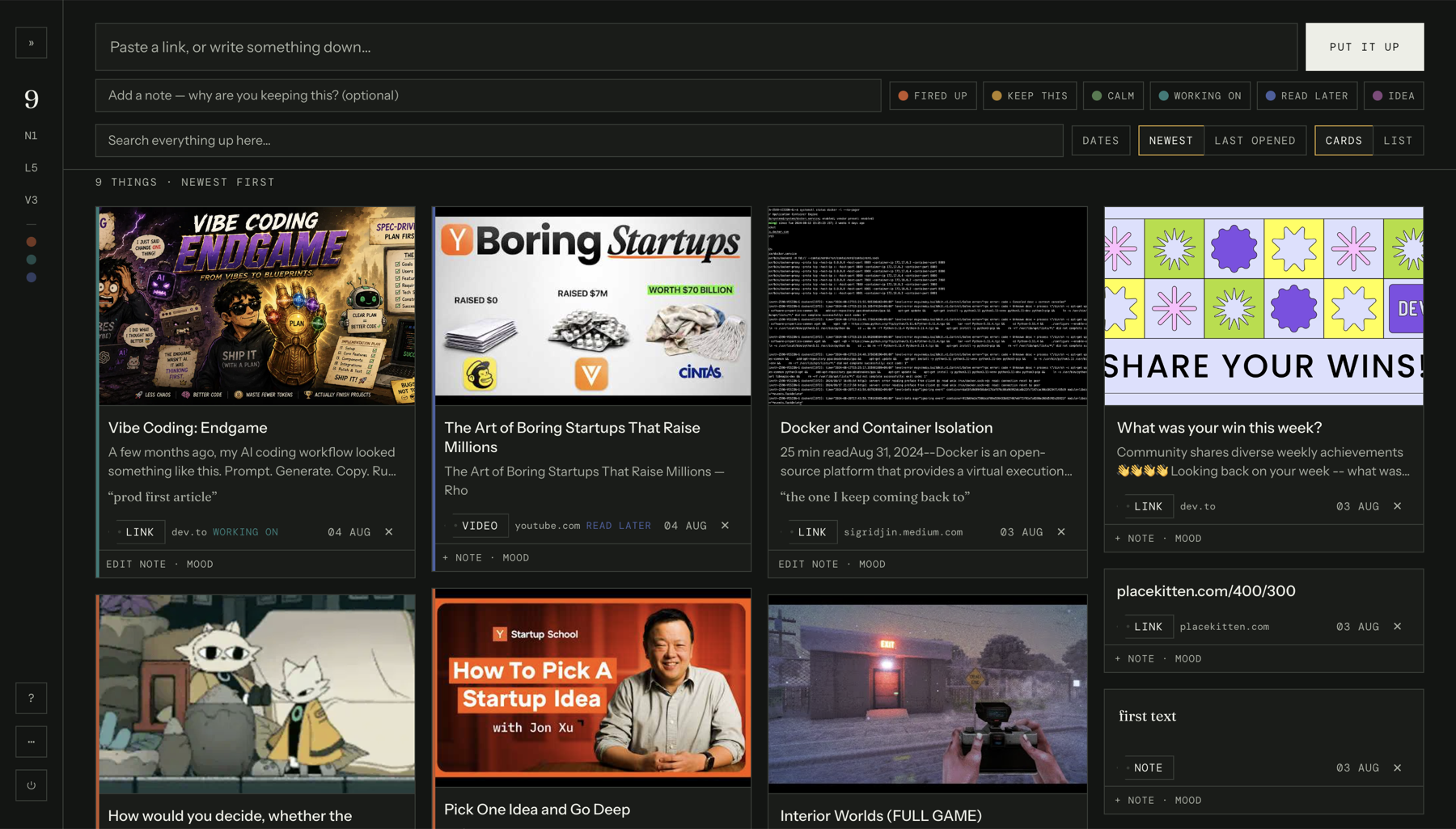
How it works
Put it up
Paste a link, a video, an image, or just write something down. Add a note about why you kept it, and a colour for how it felt.
It reads it for you
The page is fetched in the background — its title, its text, its picture. A dead link is still saved; it just has less to say.
Ask it later
Search without AI, or ask a question in plain words. Every answer lists the things it read, so you can check it rather than trust it.
Later
Ask it like you’d ask a person who read everything you saved.
- “What did I put up on 2 August?”
- “What have I been reading about this month?”
- “Which videos have I saved?”
- “Did I save anything about pricing?”
- “What did I keep and never come back to?”
Who answers
Pick who reads it back to you.
Straight answers. Finds what you asked for and reports it.
Connects things you saved weeks apart.
Points out what you saved and never came back to.
Points out where your saves disagree with each other.
The extension
Keep something without leaving the page you’re on.
An archive is only worth having if putting things in it is nearly free. Press⌘⇧Son any page, add a note if you want one, and it’s up.
- 01
Install it
From the Chrome Web Store, in one click.
- 02
Make a token
One click in settings. Paste it in, once.
- 03
Press ⌘⇧S
On any page, from then on.
It signs in with a token of its own rather than your password, so you can take it away at any time without touching anything else — and no other website can save things on your behalf, because it has no token to send.
Get it for Chrome →Runs on your key
The AI costs what it costs. Nothing more.
Bring a key from any of these and asking runs on your own account. Putting things up, browsing and searching never need one at all.
Stored encrypted
A stolen database is noise.
What you save is encrypted before it is written — the link, the title, the text of the page, and your own notes. Passwords are stored so that nobody can read them back, and your AI key is encrypted too.
Nothing to file
No folders. No tags to keep tidy.
Put things up and get on with your day. They are already findable — by the day you saved them, by what they are, by a colour if you gave one, or by any word in them. The work of organising an archive is the reason most people stop using one.
Questions
Do I need an AI key?
Only to ask questions. Putting things up, browsing, filtering and searching all work without one, and always will. You can use Attic as a plain archive and never add a key at all.
What does it cost?
Attic is free. Questions run on your own account with Anthropic, OpenAI or Google, which is fractions of a cent each on their cheaper models. Nothing is charged by us, and there is no card to add.
What happens when a link dies?
It stays. The title, the text and the picture were read when you saved it, so a page that disappears later is still searchable and can still be part of an answer. A link that was already dead when you saved it is kept too — it just has less to say.
Does it work on a phone?
Yes, for putting things up, browsing and asking. The extension is a desktop browser thing, so on a phone you paste rather than press a shortcut.